



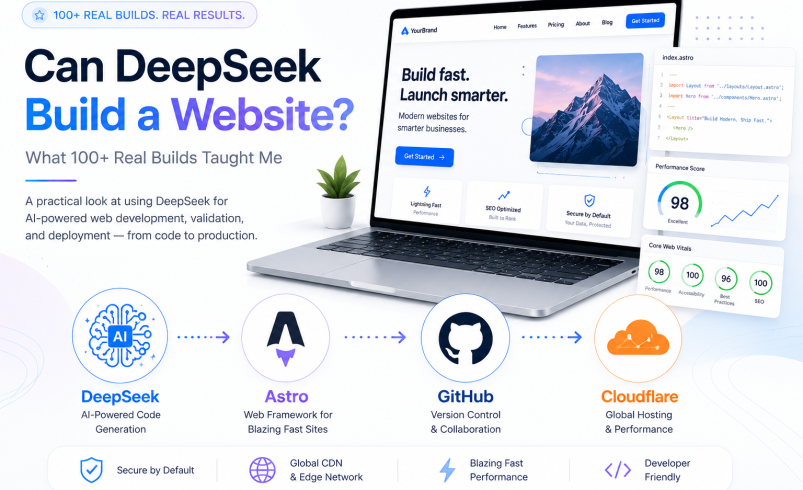

Yes, DeepSeek can build a website. It is highly capable of generating production-ready HTML, CSS, JavaScript, and complex front-end components. However, it is an AI development assistant, not a fully autonomous engineer. Human oversight is strictly required for architecture, security, SEO validation, and deployment to turn AI-generated code into a functional, secure production asset.
Can DeepSeek build a website? Yes, but not in the way Wix, Squarespace, or traditional visual website builders work. While DeepSeek can generate substantial amounts of production-oriented HTML, CSS, JavaScript, layouts, forms, and application scaffolding, generating code is only one part of building a reliable website.
Over the past six months, I have used DeepSeek across 100+ professional website builds. That experience completely changed my view of what AI website development actually is. The impressive part was not that an AI could produce a homepage in a few seconds (that is easy now). The real test was what happened after the first response: Could the generated code survive a browser? Could the navigation work on mobile? Were the links and structured data valid?
And perhaps most importantly, could an AI-assisted website become a useful, maintainable production asset rather than just a convincing-looking demo? After more than 100 builds, my answer is clear: DeepSeek can be an extremely capable website-development assistant, but it is not a complete website engineering team by itself.
Type a single prompt → Get a 100% production-ready, fully hosted website with zero bugs or human checks.
Use AI for rapid code scaffolding → Developer validates DOM, security, accessibility, and deploys via Git.
DeepSeek vs. Traditional Builders: What It Actually Is
Visual drag-and-drop interface. You pick templates, move blocks visually, and click publish without writing or inspecting code.
Requires a developer mindset. You prompt for code, inspect syntax, test DOM/JS in DevTools, and deploy via modern hosting.
What DeepSeek Can Build Well (And What It Shouldn’t)
For front-end-heavy architectures, DeepSeek is incredibly efficient. It is a natural fit for business websites (homepages, service pages, FAQs), landing pages, portfolios, documentation sites, and front-end UI scaffolding.
- Front-end code scaffolding (HTML5/CSS3)
- Responsive layout & component creation
- Fast JavaScript interactive elements & DOM logic
- Complex backend logic & user authentication
- Database migrations & API security
- Technical SEO & Schema validation
- Front-end code scaffolding (HTML/CSS)
- Responsive layout & component creation
- Fast JavaScript interactive elements
- Complex backend logic & authentication
- Database migrations & API security
- Technical SEO & Schema validation
Key Engineering Insight: DeepSeek can help write these systems, but it should not be the only layer deciding if they are secure. A brochure website and a banking app are both “websites,” but they represent entirely different engineering problems.
Where Human Engineering is Mandatory
This is where the “AI built my entire website” narrative becomes dangerous. I would never treat an AI model as the sole engineering authority for mission-critical production systems.
DeepSeek can help write these systems, but it should not be the only layer deciding if they are secure. A brochure website and a banking app are both “websites,” but they represent entirely different engineering problems.
My 100+ Website Case Study: The Validation Workflow
Over six months, I generated, refined, and deployed over 100 professional websites using DeepSeek. Because client projects are protected by NDAs, I cannot publish proprietary screenshots. However, I can share the exact validation methodology that separates a polished demo from a production-ready site.
Production Quality Standard: I did not consider a website “finished” just because it rendered correctly. My production review covered several critical layers:
1. Visual, DOM, and JavaScript QA
The Anatomy of a Failed Build: During one build for a roofing contractor, the site looked perfect visually. But the mobile navigation had a JS error because DeepSeek generated a click handler for an element ID (mobile-menu-btn) that didn’t exist in the HTML. Without opening Chrome DevTools, this broken site would have gone live.

2. The Hallucinated Business Data Problem
Broken JavaScript is annoying, but incorrect business information is disastrous. During my builds, DeepSeek occasionally invented placeholder contact info, emails, and business hours.
Never assume that an email address, phone number, or URL generated by AI is correct. Publishing hallucinated business information in visible content or LocalBusiness Schema can destroy your local SEO rankings and user trust.
3. Is DeepSeek-Generated Code Secure?
A generated website is not secure merely because the code looks professional. Never expose private API keys or secrets in client-side, AI-generated JavaScript.
Client-side validation is for UX, not security. Essential protection (rate limiting, CSRF protection, secure session handling) must exist on your server layer.
The Ultimate AI Web Development Stack (Hosting for Free)
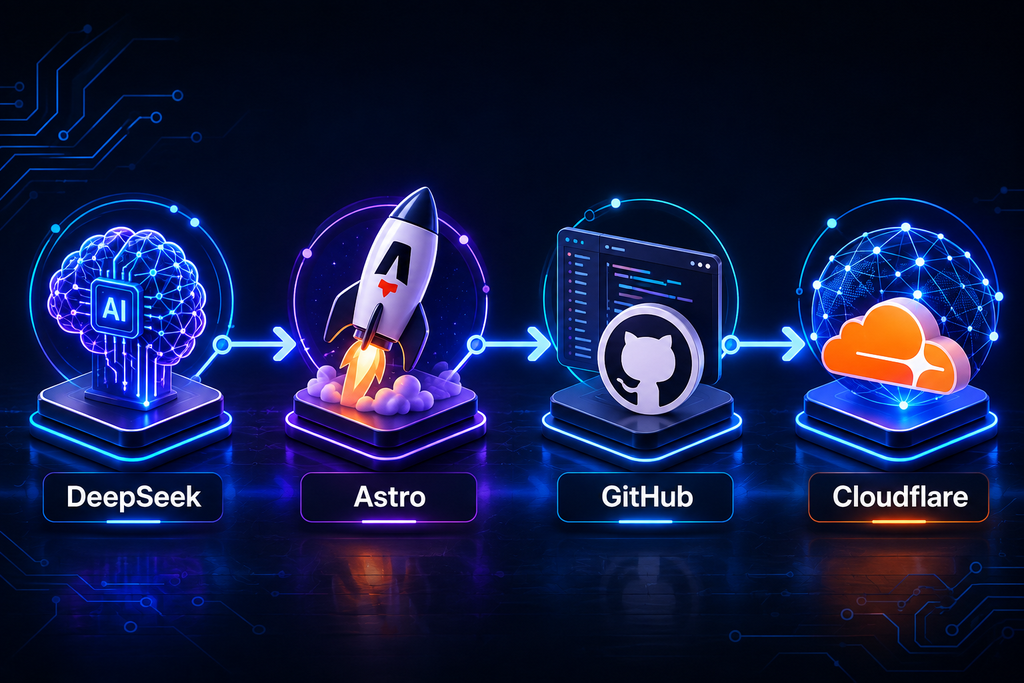
For many static projects, I moved beyond pasting AI-generated HTML into a basic hosting dashboard. My preferred stack is: DeepSeek → Astro → GitHub → Cloudflare Pages/Netlify.
Step-by-Step AI Web Development Workflow
If you want to move from amateur prompts to professional development, follow this process:
Stop asking for broad requests. Use strict constraints to guide DeepSeek on responsive structure, accessibility, and zero-framework semantic HTML.
Review the Information Architecture first. Validating the skeleton layout before generating lines of CSS/JS saves hours of debugging.
Avoid single massive code dumps. Request separate assets (HTML, CSS, JS or component files) to keep maintenance and testing clean.
When code breaks, feed Chrome DevTools errors directly back to DeepSeek along with the target HTML snippet for precise hotfixes.
DeepSeek SEO, AEO, and GEO in 2026: What Actually Matters
With endless noise around Answer Engine Optimization (AEO) and Generative Engine Optimization (GEO), the truth from Google’s current search guidelines is grounded: foundational SEO practices still rule. There are no “secret AI tags” required to appear in AI Overviews.
DeepSeek can generate your title tags, meta descriptions, canonical URLs, robots directives, and JSON-LD schema. But the implementation requires human validation. If you want to take your AI-driven SEO strategy a step further, combining DeepSeek’s code generation with a thorough content audit is highly effective. You can check out my complete guide on How to Use Claude for SEO Audits to master the analytical side of your website.
Lighthouse Scores vs. Google Rankings
A 100/100 Lighthouse score is a great engineering signal, but it is not a ranking guarantee. Lighthouse is a lab test, whereas Core Web Vitals (CWV) are real-world field measurements. For a “Good” user experience, you need:
Structured Data and FAQs
Use structured data to describe your real business, not to manufacture a stronger-looking entity. Do not fabricate ratings or addresses to satisfy a schema template. Test your outputs using the Schema Markup Validator. Important 2026 Update: Google formally reduced FAQ rich results for ordinary websites. Write FAQs because they help users, not because you expect a guaranteed rich snippet.
Final Verdict: Should You Use DeepSeek?
After 100+ builds, my answer is a qualified yes. DeepSeek makes website development dramatically faster, but it also makes verification more important. The highest-value workflow is not “AI versus developers.” It is: AI for speed + human expertise for judgment + automated testing for reliability.
For a straightforward business website, combining DeepSeek’s rapid generation with Astro, Git, Cloudflare, and rigorous SEO validation creates a remarkably efficient, production-ready workflow.
❓ Frequently Asked Questions
DeepSeek generates front-end code efficiently, but production-ready sites still require human oversight for hosting, security auditing, and SEO validation.
No. Google focuses on content usefulness and technical performance (Core Web Vitals), regardless of whether the initial code was drafted by an AI or a developer.
DeepSeek excels at semantic HTML5, modern CSS (including Tailwind CSS), client-side JavaScript, React, Astro components, and node-based backend logic.
The standard free tech stack for 2026 is DeepSeek (for code drafting) + Astro Framework (for clean architecture) + GitHub (for version control) + Cloudflare Pages (for global SSL hosting).
Open Chrome DevTools Console, copy the exact TypeError message along with the target HTML component, and feed it back to DeepSeek to get a corrected hotfix script.